Windows, Chromebook, Android and iPad
Write notes with a pen in your browser
Pondnote is a notes app for handwriting and typing that runs in the browser. It works with the pen of your tablet or laptop, and your notes sync between your devices.
Getting started
Open pondnote.ink
In the browser on your tablet or laptop.
Sign in
With Google or Discord. The free plan has three notebooks.
Pick the pen
Choose the pen in the toolbar and write. Once Pondnote has seen your pen, the pen writes and fingers scroll and zoom.
Install it (optional)
You can install Pondnote from the browser, or from Google Play on Android. It works offline either way.
Pressure and smoothing
Pondnote uses your pen's pressure and smooths each line while you write it.
Tools
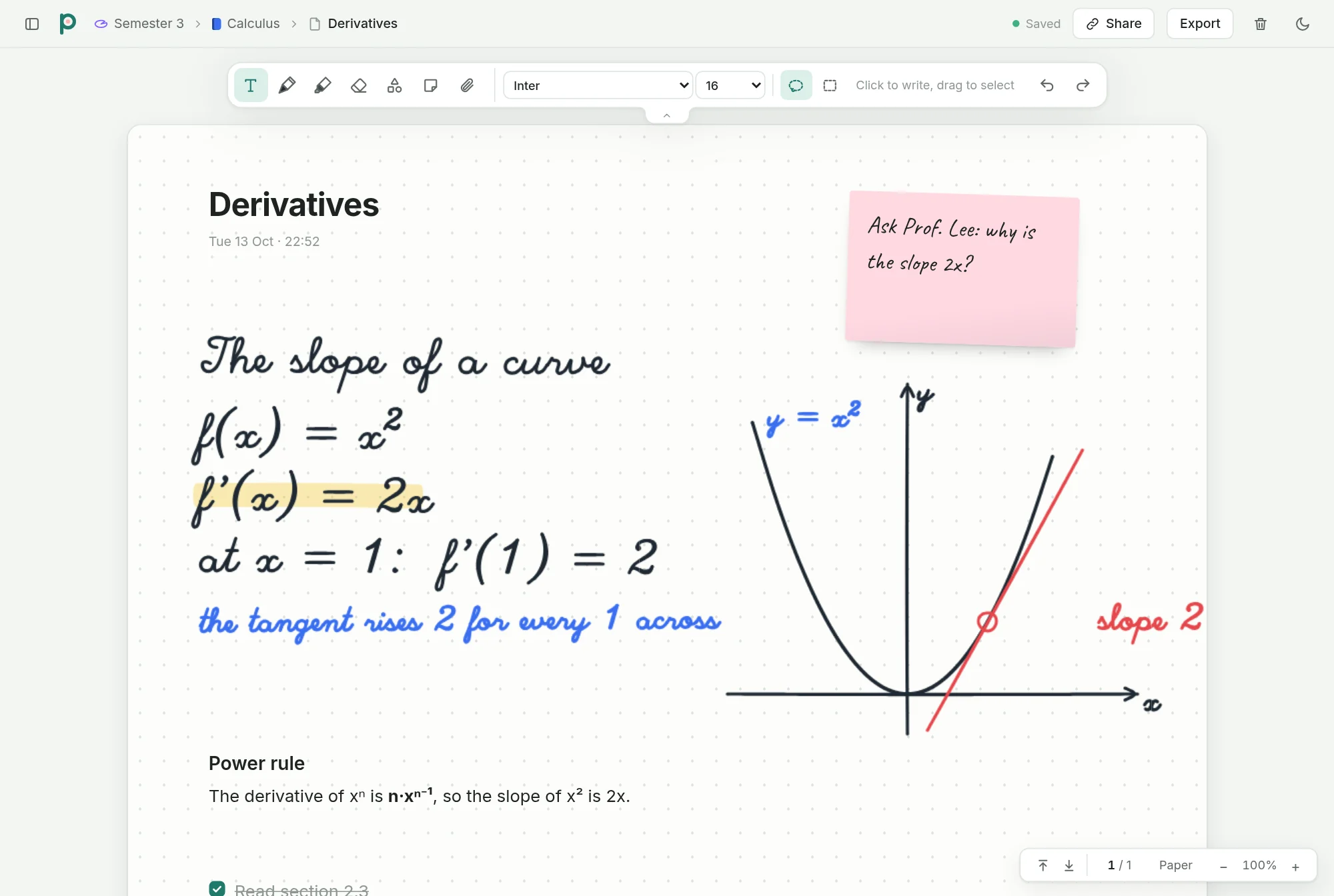
The toolbar has a pen, a highlighter and an eraser. If you hold the pen still at the end of a stroke, the stroke turns into a clean shape. The eraser end of a pen erases, and the side button draws a lasso to select and move things.
Supported pens
Pondnote gets the pen from the browser, so it works with the pens your browser supports, such as the Apple Pencil, the S Pen, the Surface Pen and USI pens on Chromebooks. You can also write with a finger or a mouse.
Typing on the same page
Click anywhere on the page to type there; on a touch screen, tap twice. Type / for headings, to-dos, numbered lists, quotes and code blocks. The lasso selects handwriting and text together, so you can move both.
Pages, canvas and sticky notes
A note can be pages of paper or a canvas that extends in every direction. Sticky notes hold short reminders, typed or handwritten.
Offline and sync
Notes are stored on your device, so you can write without a connection. When you're online, they sync to your other devices.
PDFs and export
You can import PDFs and write on their pages, and export notes as PDF or PNG.
Questions
Do I need to install anything?
No. Pondnote runs in the browser. Installing it from the browser or from Google Play is optional.
Does it work on an iPad?
Yes, in Safari, with the Apple Pencil. An iPad app is coming.
Can I write without a pen?
Yes, with a finger or a mouse. Without a pen, Pondnote simulates pressure.
Can I search my handwriting?
Not yet. Search finds the text you typed.
Is it free?
The free plan has three notebooks and 25 MB of writing, which is about 150 handwritten pages. Plus has no notebook limit and more storage.
Can I export my notes?
Yes, as PDF or PNG, also on the free plan.